 DeskVoyage
Meet DeskVoyage
Your Mac.
On your iPhone.
Your apps, your windows, your work.
Connect to the Mac you already own, from the phone you have with you.
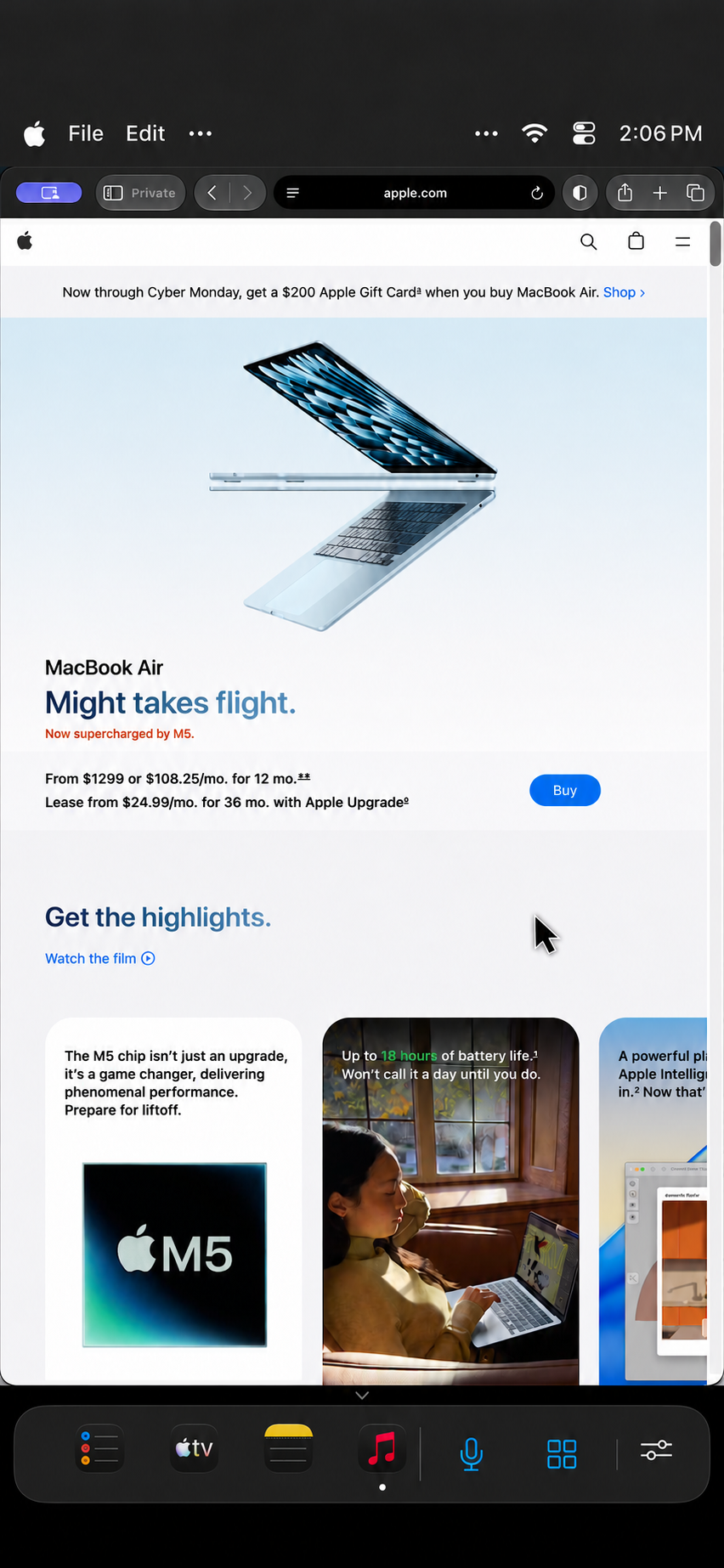
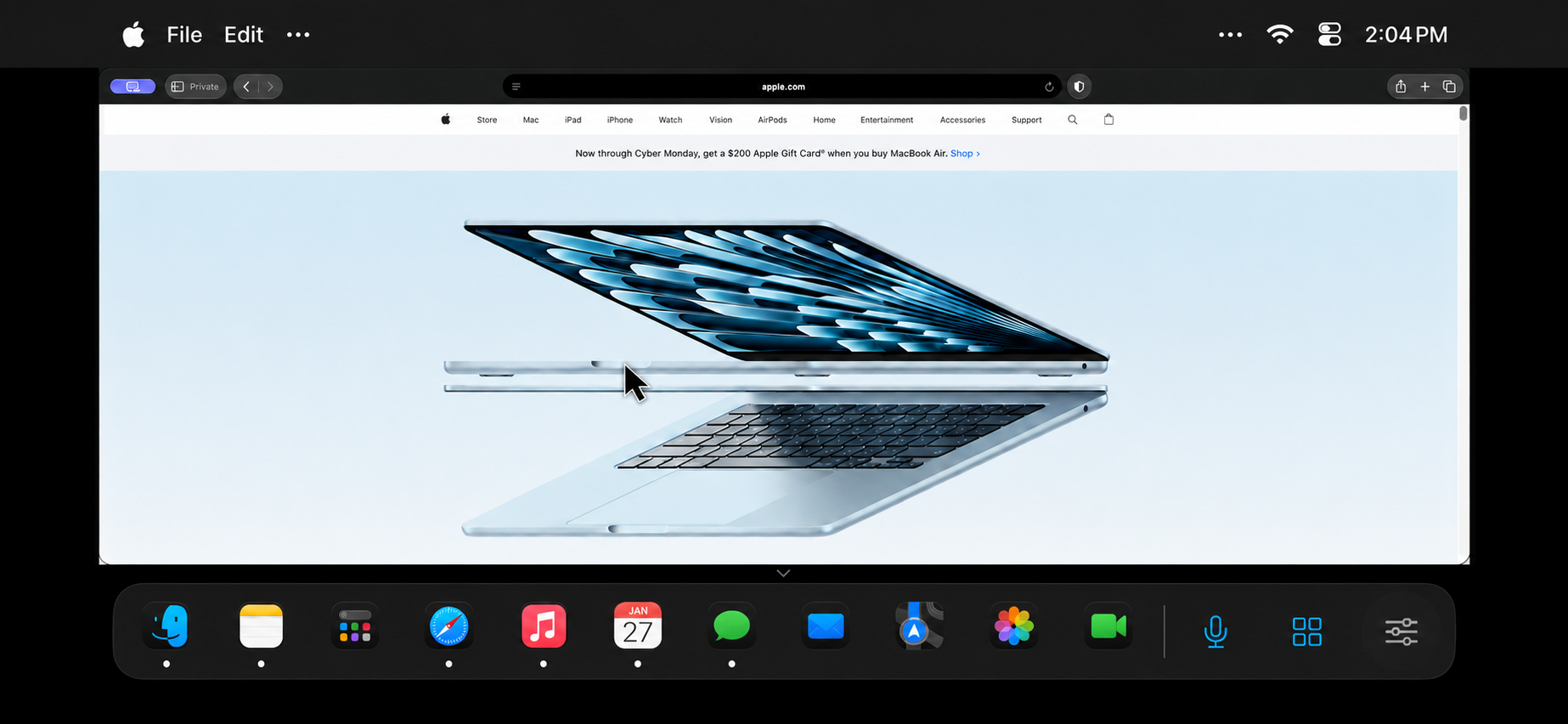
Real session. Dock and capture overlays retouched.
The apps you already use
Still your Mac.
Still your apps.
The tabs you left open. The playlist you put together. The conversation you want to finish. Open your Mac’s apps remotely, with their windows, menus and shortcuts close at hand.
Keep your tabs
with you.
Use Safari on the remote Mac, with Mac menus and a pointer built into the phone workspace.
Mac → DeskVoyage → iPhone
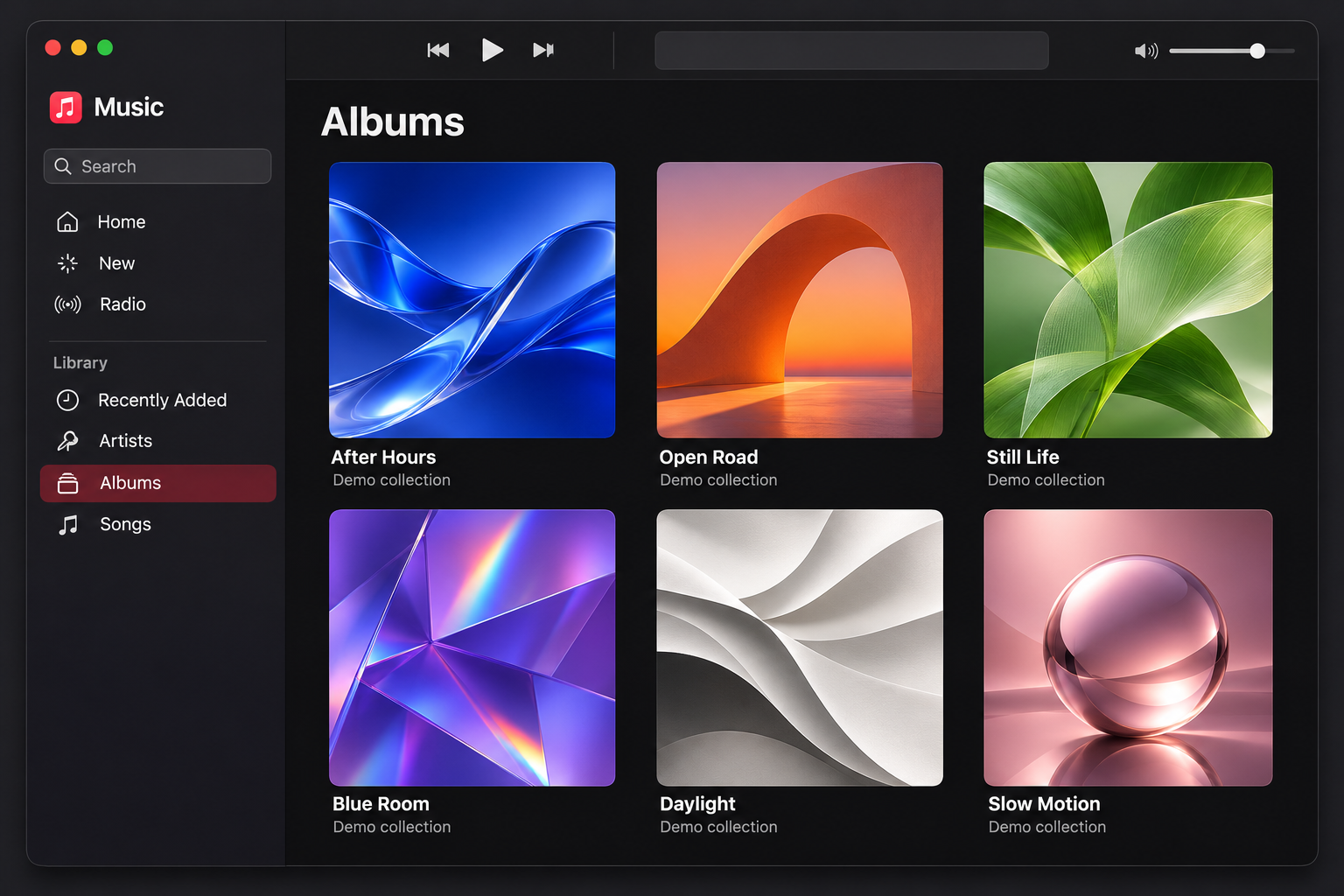
Safari captured from a real DeskVoyage session on iPhone 15 Pro Max. Private Dock icons and capture overlays are retouched; device frames are illustrations.
At home. Away from home.
Use your
own VPN.
Connect over your home network or a VPN with a route to your Mac. Your apps stay on the Mac; the phone is your remote workspace.
Your Mac must be awake, unlocked, and enabled for sharing. VPN access requires a route to the Mac. Connection quality depends on both networks.
From your phone to the big screen
Your Mac.
On the TV, too.
Settle in. Bring your Mac workspace to an AirPlay-compatible TV, and control it from your iPhone or a connected mouse and keyboard.
The Mac stays connected. Your phone brings the workspace to a bigger screen through iPhone Screen Mirroring.
Requires an AirPlay-compatible TV or receiver. Wireless response varies with the network and display. TV placement is an illustration using a retouched iPhone capture, not a recording of AirPlay performance.
Made to fit Duo
Room to unfold.
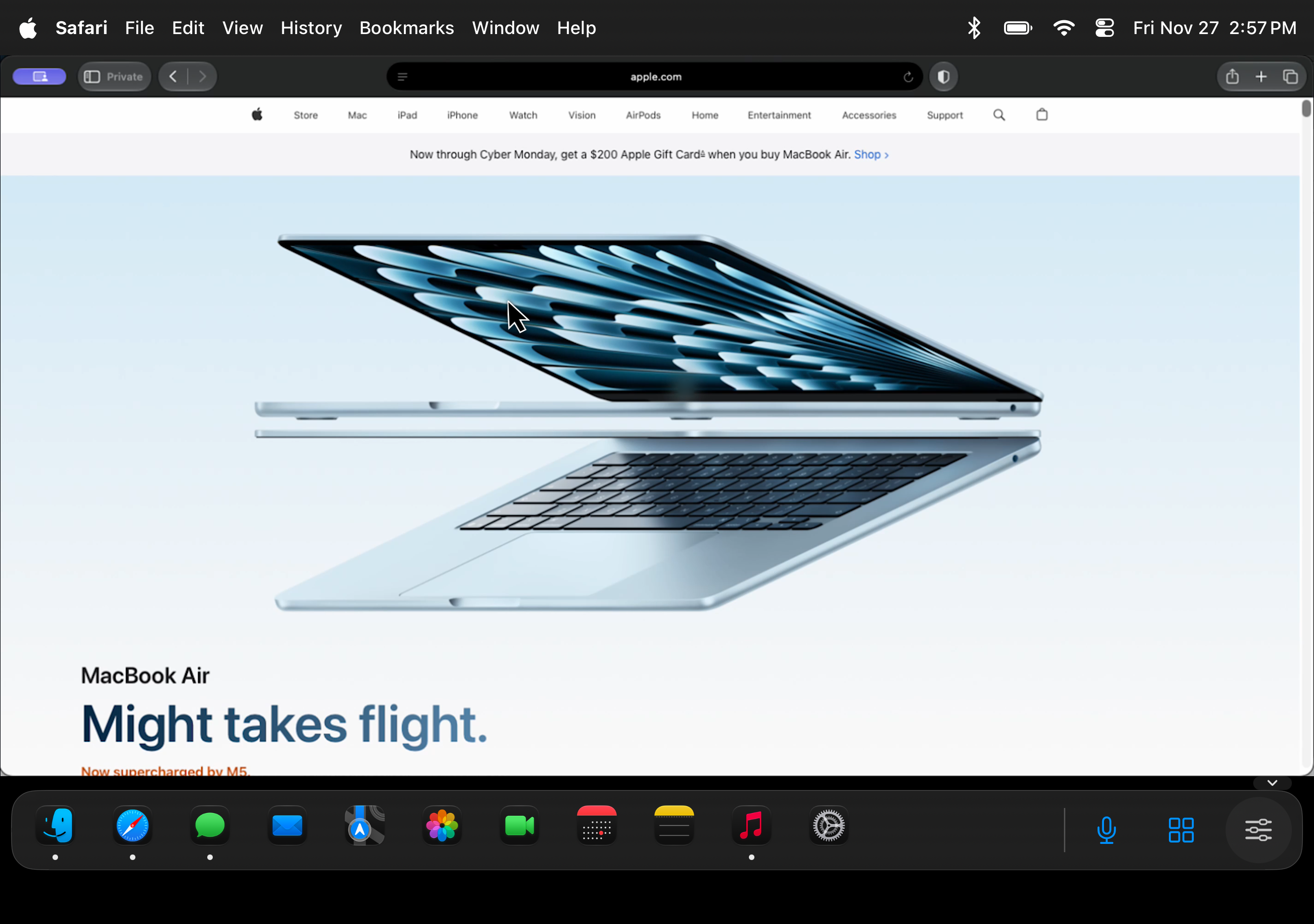
The outer display for a quick visit. The inner display to stay a while. Fold it halfway for your keyboard, trackpad, and Dock.
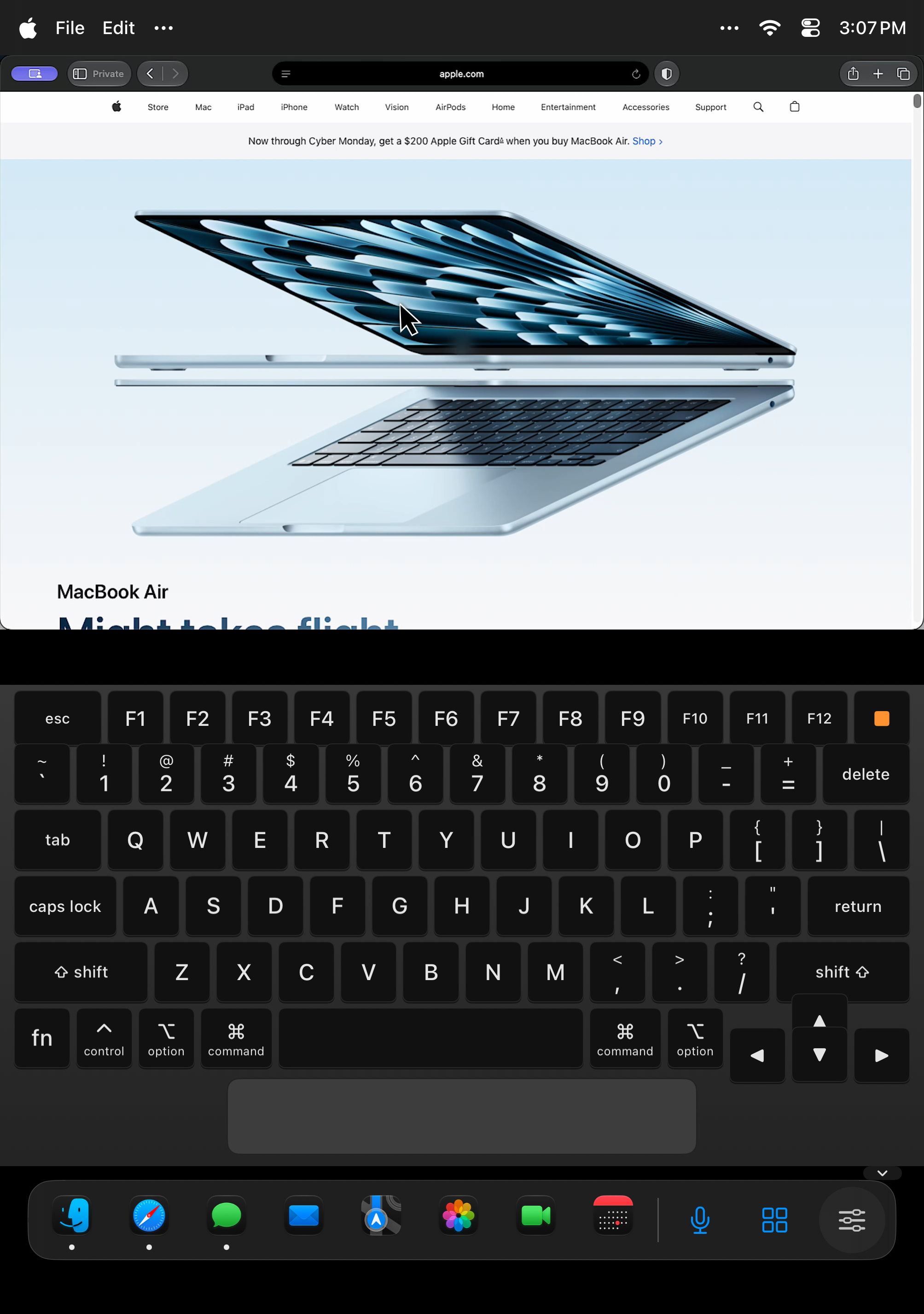
More room for your Mac.
Open the display for a larger workspace, with the Dock along the bottom.
Live Safari sessions in the Duo simulator. Dock curated for privacy. Hardware illustration; layouts in development.
A familiar keyboard
Mac keys.
Under your thumbs.
A custom keyboard keeps Mac shortcuts close. In the half-folded layout, the keyboard and trackpad occupy the lower half while your Mac stays above.
Try the half-folded viewFor iPhone and Mac
Coming soon.
Mac apps on your iPhone.
Your own VPN. AirPlay to the TV.
Coming together now.